How QR Menus Work: Complete Restaurant Guide
How QR menus work: POS vs QR comparison, what guests see, how to manage a digital menu — live prices, discounts, multi-language support. No app needed.
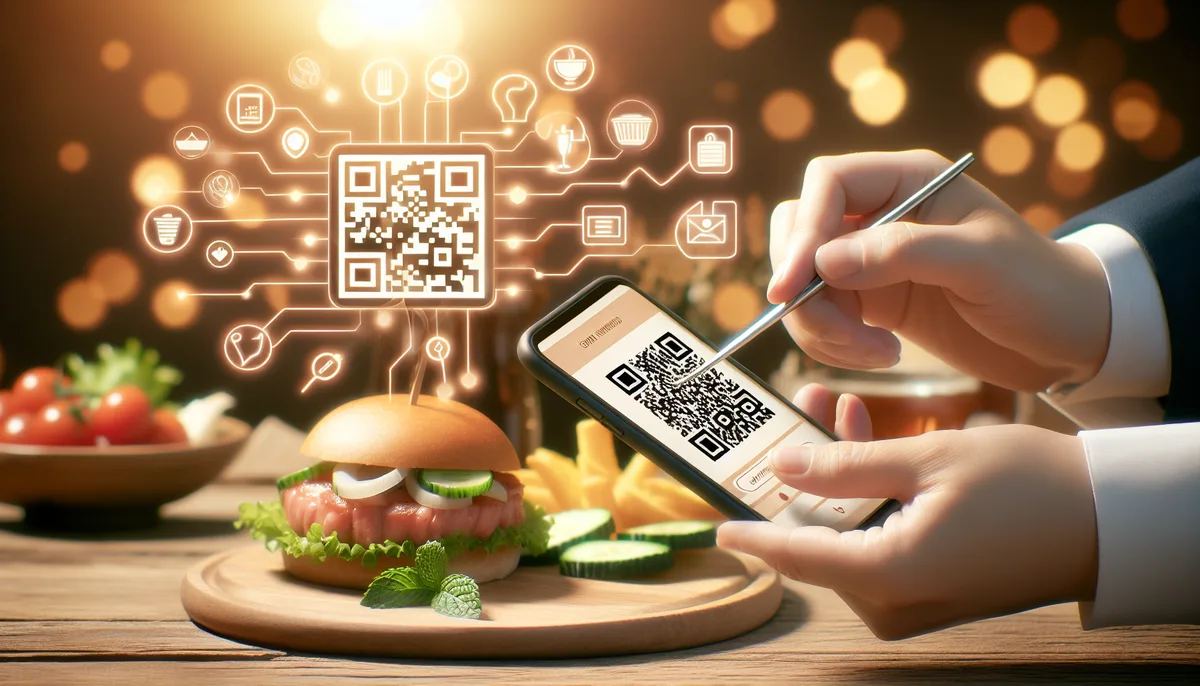
How to scan a menu at a restaurant
Most restaurants place the QR code on a table sticker, a small stand, or a tent card near the salt and pepper. Here's how to open it:
- Open your phone's camera. On iPhone and most Android phones, the built-in camera app scans QR codes without any extra software. No need to download a QR scanner app.
- Point the camera at the QR code. Hold it steady for about a second until a notification banner appears at the top of the screen.
- Tap the banner. Your phone opens the menu directly in your browser — no login, no app, no registration.
The whole process takes about five seconds. If the camera isn't detecting the QR code, try moving slightly closer or making sure the code is well lit.
Some older Android devices may need a dedicated QR scanner app (available free in the Play Store), but any phone released after 2018 handles QR codes natively.
What is a QR menu
A QR code menu for a restaurant is the digital version of a traditional paper menu. Guests scan a QR code with their phone and instantly see an up-to-date list of dishes with prices, descriptions, and photos.
No app download needed — everything opens right in the browser.
Unlike a PDF, a QR menu is a live web page. That means prices can change while guests are seated, sold-out items disappear automatically, and time-based discounts appear exactly when they should.
How guests use a QR menu: step by step
Using a QR menu takes about five seconds:
Step 1: Spot the QR code. Restaurants typically place QR codes on table stickers, tent cards, or a small stand near the salt and pepper.
Step 2: Open the camera app. On most smartphones — iPhone, Android — the default camera app can scan QR codes without any extra software. Point the camera at the code until a notification appears.
Step 3: Tap the link. The phone automatically shows a banner with the menu URL. One tap opens it in the browser.
Step 4: Browse and choose. The menu loads as a clean, mobile-optimized page. Guests scroll through categories, tap items for details, and see the current prices and active promotions.
Guests who are unfamiliar with QR codes usually get it on the first try after a quick demonstration from a staff member.
How it works on the restaurant side
- The establishment creates a menu in a platform like Scan'n'plate — adding categories, dishes, prices, and photos.
- The system generates a unique QR code for the venue.
- The owner downloads a print-ready PDF with QR codes for tables and prints it out.
- Any time something changes — a price, a new dish, a sold-out item — the update goes live in seconds. No reprinting, no crossed-out prices.
What guests see
The menu page loads quickly and looks clean on any smartphone. Guests see:
- Categories — breakfast, mains, drinks, desserts, anything you've organized
- Dish name, description, and price — with photos if uploaded
- Active discounts — for example, a badge showing "Happy hour −20%" on drinks between 4 PM and 6 PM
- Variants and add-ons — sizes (S/M/L), toppings, sauces, extras
- Cart — guests can add items and see their running total before ordering
- Contact details and opening hours
Multi-language support
One of the practical advantages of digital menus is automatic translation. A QR menu platform can detect the guest's device language and display the menu in their preferred language — Russian, English, Spanish, German, French, Chinese, Arabic, Turkish, and more.
This matters most for venues in tourist areas, hotel restaurants, and cities with significant expat populations. A guest who sees prices and dish names in their own language makes fewer ordering mistakes and has a better overall experience.
Paper menus in multiple languages are expensive to print and quickly go out of date. A digital menu translates once and stays current automatically. See the full breakdown of how this works on the multilingual QR menu page.
Time-based discounts and happy hour
Unlike a paper menu, a QR menu can show different information depending on the time of day or day of the week.
A typical use case: a restaurant sets a 15% discount on all drinks every Monday through Friday from 4 PM to 6 PM. Guests who open the menu during that window see the discount badges. Guests who open it at 7 PM see regular prices.
There's nothing to manage manually — the system activates and deactivates the promotion on schedule.
Other examples:
- Breakfast pricing on coffee before 11 AM
- Weekend brunch specials on Saturdays and Sundays
- Lunch specials available only on weekdays
This kind of dynamic pricing is only possible with a live digital menu. A PDF or a printed menu can't do it.
Why restaurants are switching to QR menus
Printing savings. Full-color printed menus cost money to produce and more money to reprint every time something changes. A QR menu has no printing cost after the initial QR sticker.
Always up to date. Ran out of a dish? Hide it in seconds — no need to cross it out by hand or reprint the entire menu.
Hygiene. After the pandemic, many guests became more cautious about contact surfaces. A QR menu lives on each person's own phone.
International guests. With automatic translation, a single menu works for any nationality.
Analytics and visibility. A digital menu page can be indexed by Google, giving the restaurant a searchable presence beyond just delivery platforms.
QR menu adoption: what the data shows
The pandemic accelerated an existing trend. Between 2019 and 2022, QR code menu usage in U.S. restaurants increased by more than 300%, according to a Popmenu survey of 1,600 restaurant operators. Many operators who adopted QR menus as a temporary hygiene measure during the pandemic reported keeping them permanently — because guests adjusted and the operational benefits were real.
By 2023, QR menus had become the default in several key markets:
Southeast Asia — Thailand, Singapore, and Malaysia saw widespread adoption years before the pandemic, driven by multilingual tourist populations and tech-forward hospitality culture. In Bangkok's tourist and business districts, QR menus are now standard in more than 80% of mid-range and upscale restaurants.
United States — The National Restaurant Association's 2023 operator survey found that 59% of full-service restaurant operators planned to continue using QR codes for menus long-term. Among chain restaurants, the figure is higher.
Europe — Uptake varies significantly by country. The UK, Germany, and the Netherlands have high adoption among city restaurants and cafés. Southern European markets are growing, with hotel restaurants and venues in tourist zones leading the shift.
Latin America — Growing rapidly, especially in Mexico, Argentina, and Brazil. Urban restaurants and those serving international visitors have adopted QR menus first; neighbourhood eateries are following as the habit normalises.
Guest preferences confirm operators' reasons for keeping QR menus. A 2023 Toast survey of restaurant customers found that 62% said they prefer to see menu prices and photos before deciding what to order — and a QR menu is the only format where that's reliably possible before a server arrives.
The profile of the holdout is informative too: operators who haven't switched most commonly cite existing printed inventory and assumptions about guest preferences. The data tells a more nuanced story — most guests adapt quickly, and those who prefer paper simply use the printed fallback.
The real cost of paper menus
Paper menus are a recurring operational expense that operators often underestimate because costs are spread across the year. Here's what they actually add up to.
Printing scenario: mid-size café with 20 tables, 25 printed menus
- One-page laminated menu, 25 copies: approximately $1.80 per copy = $45 per print run
- Price updates twice a year: $90
- Seasonal redesign once a year (with basic design work): $200 + reprinting = $350
- Annual total: approximately $440
Printing scenario: full-service restaurant with 30 tables, 35 printed booklets
- Four-page color-printed booklet, 35 copies at $5.50 each = $193 per run
- Updated three times per year: $579
- Emergency mid-service reprint for a price correction: one extra run = $193
- Annual total: approximately $770+
QR menu over the same period:
- Platform cost: free (Scan'n'plate)
- Table QR stands, one-time: $25–60 depending on material (acrylic, wood, or laminated card)
- All subsequent menu changes: $0
Over three years, a printed menu setup costs approximately $1,300–2,300 for a mid-size venue. A QR menu setup costs $25–60 in year one, then near zero.
The break-even happens inside the first few months for any venue that updates its menu even twice a year. Beyond the direct printing cost, there's also the staff time: coordinating with a printer, proofreading, waiting for delivery, distributing new copies, and removing outdated ones. Operators report spending two to four hours on each update cycle — time that goes to zero with a digital menu.
How QR menus perform by venue type
The core mechanism is the same everywhere — scan, page loads, browse. The specific benefits differ by venue.
Sit-down restaurants
The primary gains are accuracy and coordination savings. A chef who changes a daily special can update the menu in seconds. No crossing out items by hand, no guest complaints when a dish they saw on the menu doesn't exist today.
A 40-table Italian restaurant that tracked time spent on menu-related tasks (printing coordination, distributing new copies, correcting errors) reported reclaiming roughly 18 hours per year after switching to a QR system — time that previously went to administrative overhead.
Cafés and coffee shops
Order speed is the standout benefit. Guests who browse the menu while waiting in queue arrive at the counter already decided. A high-volume coffee bar found that average order time at the counter dropped from about 55 seconds to 38 seconds — a 31% reduction — after placing QR codes at the start of the queue. In a busy morning rush, that difference lets the same number of staff serve significantly more guests.
Bars and pubs
Time-based promotions work automatically instead of requiring manual chalkboard updates. An owner of a cocktail bar described the practical difference: "Before, happy hour pricing was a mental load — we'd forget to update the chalkboard, and then have disputes when prices didn't match what guests had seen an hour earlier. Now it switches at exactly the right time, every day."
Hotel restaurants
Multilingual support is the decisive factor. A hotel in a resort city may serve guests who speak English, German, Russian, French, and Arabic all in the same evening. Printing and updating five language versions of a full menu is expensive and impractical. A QR menu that automatically switches to the guest's phone language removes the problem entirely — with no extra cost when the menu changes.
Fast casual and food courts
Reducing queue time is the priority. Placing QR codes at the queue entrance gives guests time to decide before they reach the counter. Operators in food court environments report order throughput increases of 15–25% during peak lunch service when guests arrive with a pre-formed order, because indecision at the counter is the main bottleneck.
For specific venue types Scan'n'plate provides dedicated solution pages: multilingual QR menu for hotels, QR menu with happy hour for bars, fast-food QR ordering, QR menu for restaurants, and QR menu with cart and add-ons — each tailored to the workflow of that segment.
Format comparison
| Criterion | Paper menu | PDF on site | QR menu |
|---|---|---|---|
| Update speed | Reprint the whole run | Edit the file and re-upload | Instant |
| Guest convenience | Familiar, no phone needed | Need to find the link | One scan — done |
| Hygiene | Passed hand to hand | No contact | No contact |
| Order errors | Crossed out by hand | Guest may have a cached old version | Always current |
| Dish photos | Expensive to print | Available | Available |
| Discounts & promos | Insert or chalkboard | Separate file | Built into the menu |
| Multiple languages | Separate print run | Separate files | Automatic |
| Happy hour pricing | Not possible | Not possible | Built in |
A digital menu is not just a PDF.
A PDF is a static file. A guest might open a two-month-old version from their browser cache, miss current prices, and never see your promotions. A QR menu is a live page: it updates in real time, works on any device without downloading, and can show different content depending on the time of day or day of the week.
Frequently asked questions
Do guests need internet to use a QR menu?
Yes, loading the menu page requires mobile data or Wi-Fi. That said, the restaurant doesn't need any special hardware — just a printed QR code. Most guests browse on their own mobile data; adding free guest Wi-Fi makes the experience faster and removes roaming cost concerns for international visitors.
What about guests without a smartphone?
QR menus don't replace paper ones: keep a few printed copies for guests who prefer flipping through pages. In practice, this is a small minority — surveys consistently show fewer than 20% of restaurant guests prefer paper when a digital option is available. Digital is a complement, not a substitute.
How secure is it?
The menu page is publicly accessible as read-only: guests can't change dishes or prices. Menu management is only available through the owner's authenticated account. The QR code itself is just a link — it has no special access privileges.
What if the menu changes while the restaurant is open?
Updates go live instantly. A guest who opens the page a minute after a change will already see the latest information. This is useful for hiding dishes that sell out during service — something that requires crossing out or reprinting with a paper menu.
Can one QR code cover multiple rooms or locations?
Each establishment gets its own unique QR code. If you have multiple locations, create a separate establishment for each one in Scan'n'plate. If you have multiple sections of the same venue (terrace vs. inside), you can create separate menus within the same establishment and generate different QR codes for each.
Do guests need to create an account to view the menu?
No. The menu is publicly accessible — no registration, no login, no app. Guests just scan and browse. This is one of the key differences from ordering apps, which require signup before a guest can see the menu.
How does a QR menu affect average spend per guest?
Digital menus typically increase average check size by 8–15%. The main mechanism: when descriptions and photos are visible for every item, guests order more add-ons and extras they might have missed on a dense printed menu. Dishes with photos get ordered significantly more often than unlisted items. Operators who added the add-ons feature to their Scan'n'plate menu report noticing the difference within the first few weeks.
Can a QR menu handle a large menu — 100 or more dishes?
Yes, and it often works better than a printed version at that scale. A printed menu with 100+ items becomes difficult to navigate. A digital menu with collapsible categories, visible dish photos, and smooth scrolling is easier to use when the selection is large. The key is good structure: 5–8 well-named categories rather than 20 small ones.
Can I get analytics — which dishes guests look at most?
Item-level view tracking is not part of the current Scan'n'plate feature set. However, you can observe indirect signals: dishes that guests ask about despite being visible on the menu probably need better descriptions; items that are rarely ordered can be tested with better photos, repositioning, or pricing adjustments.
How does the QR menu affect Google search visibility?
Every establishment published on Scan'n'plate gets a public URL that search engines index. Your menu — including venue name, location, dish names, and category descriptions — becomes part of your web presence. Guests who search for "Italian restaurant in [city]" or specific dishes may find your menu page. This is an advantage that neither printed menus nor PDFs offer.
Restaurant POS vs QR menu: what's the difference
Searching for "restaurant POS vs QR menu"? They solve different problems — and many restaurants use both side by side.
A POS system (like Square, Toast, Poster, or iiko) handles the back-of-house side: order taking, payment processing, kitchen tickets, inventory tracking, and sales reports. It's software your staff operates behind the counter.
A QR menu is a guest-facing tool: it's what your customers look at when deciding what to order. It displays your menu, shows current prices and promotions, and lets guests build a cart on their own phone.
Head-to-head comparison: POS system vs QR menu
| Feature | POS System | QR Menu |
|---|---|---|
| Who uses it | Staff | Guests |
| Primary purpose | Orders, payments, reports | Menu display and browsing |
| Guest interaction | None (staff-operated) | Direct — guests browse on their phone |
| Menu updates | Usually requires technical access | Owner updates in seconds |
| Time-based discounts | Varies by system | Built in, fully automated |
| Multi-language support | Rarely included | Automatic based on phone language |
| Cost | $50–300/month | Free (Scan'n'plate) |
| Hardware required | Terminal, card reader, receipt printer | Just a printed QR sticker |
| Setup time | Hours to days (hardware + training) | 5–15 minutes |
| Works offline | Yes (most systems) | Requires mobile data or Wi-Fi |
When to use a POS, a QR menu, or both
- POS only — if you already have full kitchen-to-payment workflow and don't need a guest-facing digital menu.
- QR menu only — smaller venues where the owner takes orders manually. A QR menu replaces the printed card, saves on reprinting, and adds multilingual support and time-based promotions at zero cost.
- POS + QR menu together — the most common setup. Guests browse the QR menu and build a cart, then the server enters the confirmed order into the POS. The QR menu reduces ordering time, shows add-ons that boost average check, and handles international guests automatically.
In practice: the POS processes the payment and sends the ticket to the kitchen; the QR menu is what the guest reads before they call the server. They complement each other rather than compete.
QR menus are a practical tool that saves printing costs, keeps prices accurate in real time, supports multiple languages automatically, and enables time-based promotions that paper menus simply can't do. Setup takes about 15 minutes.
Read next:
- How to digitize a restaurant menu — format comparison and first steps
- How to create a QR menu: step-by-step guide — hands-on Scan'n'plate walkthrough
- QR menu vs paper menu — honest comparison with cost savings calculation
Try creating your menu for free right now — no credit card, no developer needed.