Contactless QR Code Menu for Restaurants
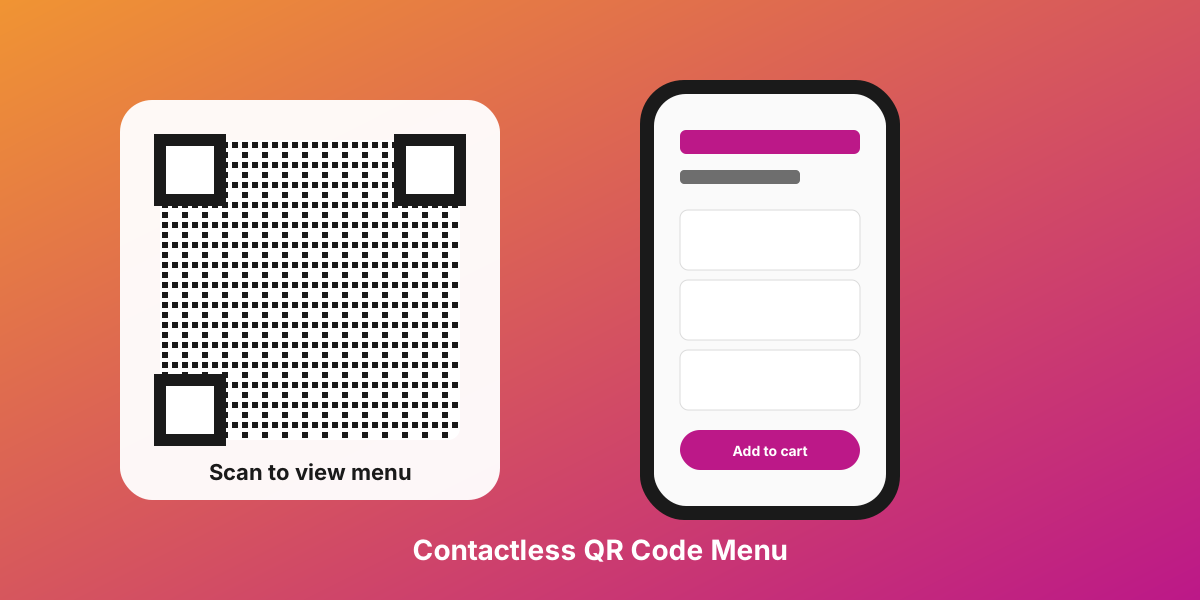
A contactless QR code menu is a digital menu page that guests open by scanning a QR code with their smartphone camera. The menu loads directly in the browser — no app download, no account creation, no shared paper menus. It works on every modern iOS and Android device, supports multiple languages, and updates instantly when you change a price or add a new dish.
After the 2020 pandemic, contactless dining became the new normal: guests appreciate the speed and hygiene, and venues save thousands per year on reprinting paper menus. Scan'n'plate is a free contactless QR code menu builder for restaurants, cafés, bars, hotels, and food trucks — with 7+ language auto-translation, a guest-facing cart, and time-based discounts. Setup takes 5 minutes, the menu lives at your own URL, and you can print a ready-to-stick QR code straight from the dashboard.
What you get
No app installation
Guests scan the QR and see the menu immediately — no App Store, Google Play, or registration.
7+ language support
The menu auto-translates to the device language: Russian, English, Spanish, German, and more.
No physical contact
Eliminate handing menus between guests. Each person opens their own menu on their own phone.
QR code on every table
Place stickers, holders, or frames with QR codes on tables — and contactless service is ready.
Who it's for
- ✓ Venues in tourist areas
- ✓ Hotel restaurants
- ✓ Beach cafés and bars
- ✓ Restaurants with international guests
- ✓ Health-conscious establishments
How a contactless QR menu works
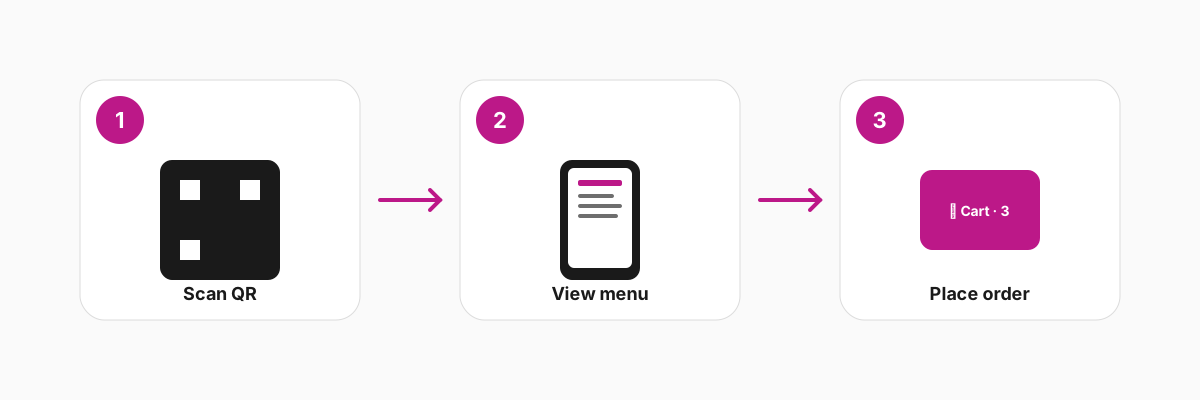
A contactless QR code menu replaces the printed menu booklet with a web page the guest opens on their own phone. The whole flow is three steps — scan, view, order — and it happens in under ten seconds.
Step one is the scan. Every modern smartphone camera recognises a QR code by default: the guest points the camera at the sticker on the table, taps the link that pops up, and the menu opens in the browser. There is nothing to install, nothing to sign into, and no Wi-Fi password to type. The first byte arrives in roughly a second on a normal mobile connection because the menu page is pre-rendered and served from a global CDN.
Step two is the view. The page detects the guest's device language and translates dish names, descriptions, and modifiers automatically into Russian, English, Spanish, German, French, Chinese, Arabic, or Turkish. Photos load lazily so the first screen appears instantly even on a slow connection. Allergens, badges (new, popular, vegan), and category-level discounts are visible without extra taps.
Step three is the order. The guest builds an order in a built-in cart, picks size variants and paid add-ons, sees the running total with happy-hour discounts applied, and hands the screen to the server or reads the items aloud at the bar. Because the order is assembled by the guest, the server captures it in one go — fewer back-and-forths, fewer mistakes, and a measurably higher average check.
The whole loop, from the first scan to the order being placed, fits in well under one minute. No app permissions, no Wi-Fi password, no shared physical booklet, and no staff bottleneck at peak hours.
How to create a contactless QR menu in 4 steps
-
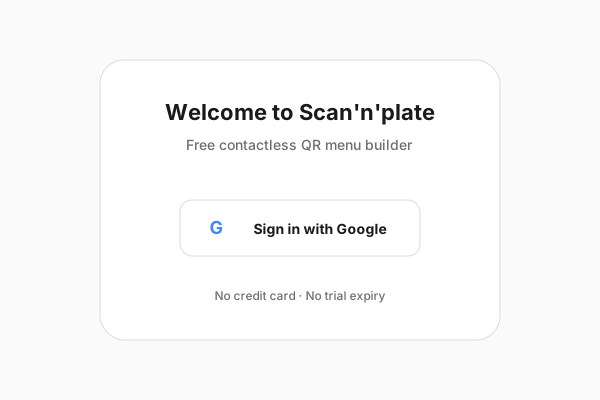
Sign up free with Google
Open scan-n-plate.com, click "Sign in with Google", and confirm. No credit card, no email verification, no plan picker — the free tier covers every feature described on this page.
-
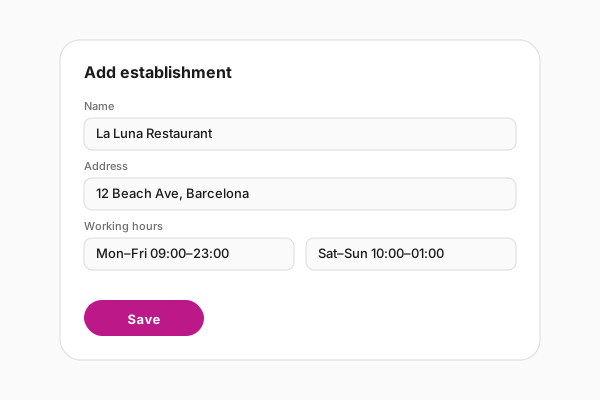
Add your establishment
Enter the venue name, type (restaurant, café, bar, food truck), address, working hours per weekday, and a cover photo. The address fills in geo-data so your menu page is discoverable in local search.
-
Build the menu
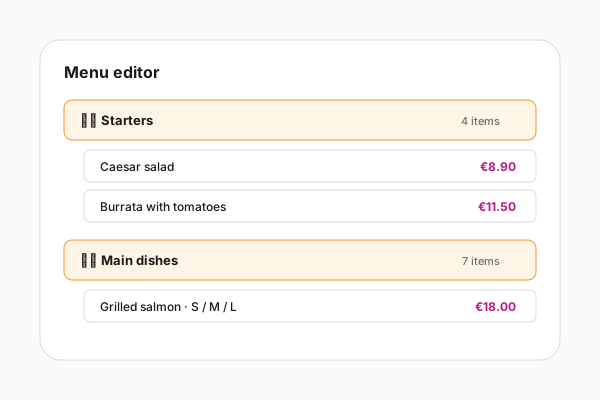
Create categories (Starters, Main, Drinks), add items with prices, photos, descriptions, allergen tags, and optional variants and add-ons. Drag to reorder. Toggle the "Published" switch when ready.
-
Print the QR code and place it on tables
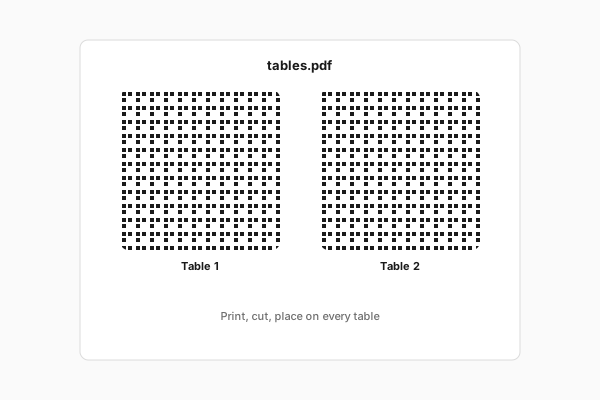
Open the QR-code panel, download the PDF (one code for the whole venue or one per table), print on sticker paper or in plastic holders, and place at every seat. Guests can scan within seconds.
Benefits of QR code menus for restaurants
- Zero printing cost A restaurant typically reprints menus 4–6 times a year because of price changes, seasonal items, or stained pages. A QR code menu costs zero per reprint: you change a price in the dashboard and every guest sees the update on the next scan.
- Real-time updates Sold out of the pork shoulder? Hide the item in two taps and it disappears from every device immediately. Reduces guest disappointment and refund requests.
- Multilingual out of the box Auto-translation into Russian, English, Spanish, German, French, Chinese, Arabic, and Turkish removes ordering mistakes from foreign guests and lets you serve tourists without a polyglot staff.
- High-quality photos for every dish Photos sell. Paper menus rarely have them because printing in colour is expensive; a QR code menu can show a full-resolution image for every item without adding a cent to your costs.
- Eco-friendly operations A 60-seat venue prints roughly 240 paper menus per year (4 per seat). Switching to QR eliminates that paper, the lamination plastic, and the disinfectant wipes between guests.
- Improved hygiene Each guest opens the menu on their own phone instead of touching a shared booklet. Health departments in the EU and US recommend contactless menus as a baseline practice.
Where to place QR menus in your venue
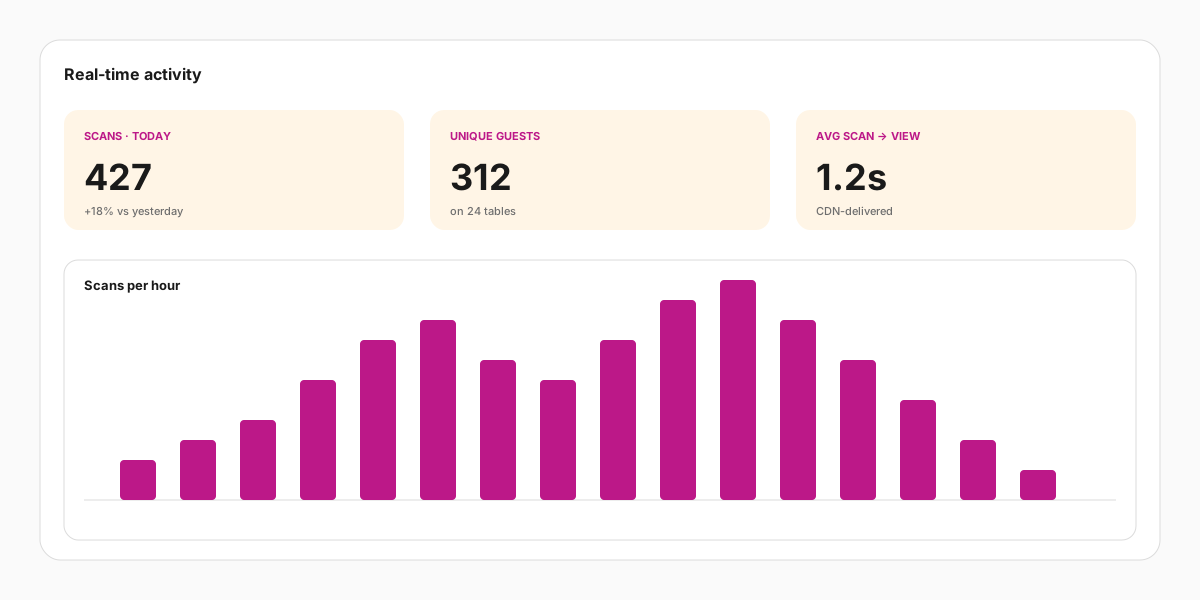
- On every table Stick a small sticker in the corner of the table or use a transparent holder in the centre. One unique code per table also enables table-aware analytics (orders, average check, popular items per seat).
- Table tents and standees Branded table tents work better in casual cafés and beer gardens where stickers fall off. Combine the QR with a short headline ("Scan to see today's specials") to lift scan rates by 20–30 percent.
- At the entrance and the host stand A poster-sized QR at the front door lets passers-by preview the menu before they sit down. Especially valuable in tourist areas where guests want to check prices before committing.
- On takeout and delivery packaging Print the QR on takeout bags, pizza boxes, or branded napkins. A guest who liked their order can find your menu again with a single scan, no Googling required.
- On receipts and check folders A small QR at the bottom of the printed receipt invites guests to leave a review, see the upcoming events, or join the loyalty programme — turning a transaction into a marketing touchpoint.
- In your Instagram bio The menu has a regular URL, so you can drop the link directly into the Instagram, TikTok, or Google Business bio. Tourists discover the menu before they walk in.


The dashboard you control everything from
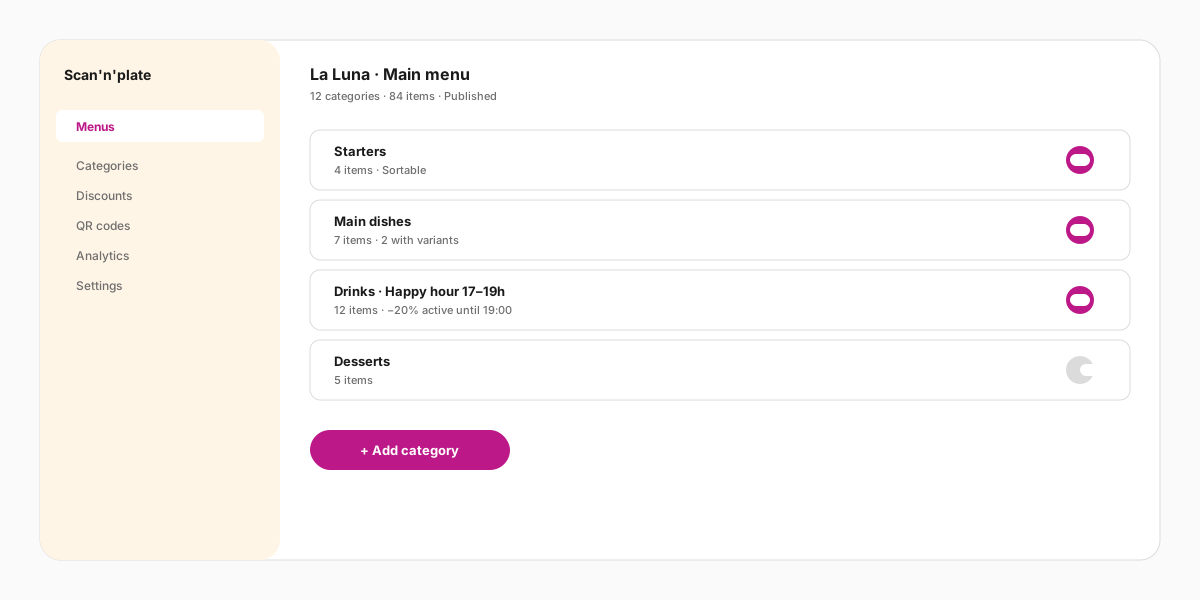
Everything described on this page is managed from a single web dashboard that works on a laptop or a phone. You see the published menu the way a guest sees it, edit categories and items inline, and toggle real-time visibility per dish, per modifier, or per discount.
Time-based discounts run automatically: configure a 20% discount on cocktails from 17:00 to 19:00 on weekdays, and the menu turns the badge on and off without your staff doing anything. Photos are uploaded directly from the phone and stored in S3 with CDN delivery.
Why most contactless menus get rejected — and what a good one fixes
Most of the backlash against contactless menus is aimed at bad implementations, not at the idea of scanning itself. A William Blair consumer survey found discomfort with using QR codes to view menus, order, and pay actually rose from 43% in December 2022 to 47% in March 2023 — it got worse as poorly built menus spread. Technomic's 2022 survey of 1,000 diners pinned down why: 55% said QR menus are hard to read and browse, 57% said using them feels like a chore, and 66% disliked having to pull out their phone the moment they sit down.
The usual culprit is a PDF hidden behind the QR code. A PDF forces a download, pinch-zooming, and a slow reload on weak venue Wi-Fi. Scan'n'plate serves a real responsive web page instead — no file to download, no app to install — so scan-and-browse means you actually browse, not squint at a 4 MB document. That single difference removes the friction guests object to most.
Older guests deserve a specific note: roughly 65% of consumers over 60 report discomfort with QR menus. The fix is implementation, not avoidance. Keep a few printed cards on hand, make the QR large and clearly labelled with what it does, and ensure the page loads as a fast, readable screen. A web-based, no-download flow is exactly what removes the friction that age group dislikes.
Where a contactless menu is the only practical menu
- Self-serve venues with no host A contactless menu earns its place anywhere there is no one to hand a guest a paper card: hotel rooms, poolside and self-serve bars, food-hall stalls, festival kiosks, taprooms, and clinic or salon waiting areas. In these formats the scannable menu is often the only menu, so contactless self-browse is the primary delivery method rather than a hygiene add-on.
- Tourist and mixed-language tables Auto-translation is the contactless win paper cannot match. A German visitor at a Tbilisi or Almaty café reads dishes and allergen notes in German and orders confidently without flagging down bilingual staff — the language switch happens on the guest's own phone, with no app to install.
- Peak rushes and thin staffing When guests browse, build a cart, and self-order from their own phone, servers stop ferrying menus and repeating specials. In high-throughput, low-staff formats like bars and food halls, that frees the floor team to run food and tables. Self-service ordering also lifts spend: PYMNTS reported self-service kiosks boost consumer spending by around 30%, and the same unhurried browsing transfers to a phone-based cart.
- Single-location venues on a budget The National Restaurant Association's 2024 technology report found 79% of off-premises customers prefer contactless or mobile payment — but that preference collapses the moment step one is "install our app." A free tier with no per-table fee lets cafés, seasonal stalls, and small hotels put a working contactless menu on every table or door for nothing, then pay only if they scale.
Frequently asked questions
How do I create a QR code menu for my restaurant?
Sign in to scan-n-plate.com with Google, add your establishment (name, address, hours), build categories and items in the menu editor, click Publish, then download the printable QR-code PDF and stick it on every table. End-to-end setup takes about five minutes.
Why use a QR code for a restaurant menu?
A QR code menu cuts printing cost to zero, lets you update prices and 86 items in real time, supports multiple languages out of the box, shows photos for every dish, and removes physical contact with shared paper. It also frees the server to focus on hospitality instead of running booklets back and forth.
Can I use a website link instead of a PDF?
Yes — the menu lives at a permanent URL like scan-n-plate.com/en/<country>/<city>/establishments/<your-venue>. You can share that link in Instagram bios, on Google Business, in messengers, or on your own website. The QR code is just a shortcut to the same URL, so anyone with the link sees exactly the same menu.
Is the contactless QR menu really free?
Yes, the whole feature set described on this page — unlimited menus, items, photos, languages, QR-code PDFs, and time-based discounts — is on the free plan. No credit card, no trial expiry.
What languages does the menu support?
Scan'n'plate auto-translates the menu into Russian, English, Spanish, German, French, Chinese, Arabic, Turkish, and several others. The page detects the language of the guest's device, so you do not need to maintain separate menus per language.
Do guests need internet to open the menu?
Yes — a mobile data connection or the venue Wi-Fi is needed to load the page on first scan. The page is small and CDN-delivered, so it loads in roughly a second on a normal 4G connection.
What if a guest doesn't know how to scan a QR code?
Any modern iOS or Android smartphone scans QR codes from the default camera app — no third-party scanner required. If a guest is unfamiliar, a server can demonstrate once and the guest will recognise the pattern from then on.
Can I update the menu without reprinting QR codes?
Yes. The QR code points to a permanent URL; the menu behind that URL can change as often as you want. Print the codes once and update prices, photos, descriptions, and availability forever from the dashboard.
Do I need a printer or special paper for the QR codes?
No — a normal office laser printer and standard paper or self-adhesive sticker sheets are enough. Many venues laminate the printed codes or slip them into transparent acrylic holders so they survive spills and cleaning.
Can guests place an order through the contactless menu?
Yes. The menu has a built-in cart: guests pick items, choose variants and add-ons, and pass the screen to the server or read the order aloud at the bar. Payment still goes through your existing POS — the cart is an order-builder, not a payment processor.
Other solutions
QR Menu with Cart and Add-ons
QR menu with a built-in cart, dish add-ons, and time-based discounts. Guests build their own order — average check grows effortlessly.
Learn more →QR Menu for Bar
Create a free QR menu for your bar: cocktail and snack menu, automatic happy hour discounts, and a cart for self-ordering.
Learn more →QR Menu for Hotels: Room Service, Breakfast & Bar in 7 Languages
Free multilingual QR menu for hotels: room service, breakfast buffet, lobby bar and pool bar in 7+ languages. Auto-translates on scan — no app needed.
Learn more →Contactless Menu QR Code
Generate a contactless menu QR code for your restaurant, café, or bar. Guests scan, browse, and order — no app, no paper menus. Free setup in 5 minutes.
Learn more →Related articles
Contactless QR Menu: Setup & Common Mistakes
A practical guide to launching a contactless QR menu — where to place codes, how to keep the menu current, and the mistakes that kill the experience.
Read →How QR Menus Work: Complete Restaurant Guide
How QR menus work: POS vs QR comparison, what guests see, how to manage a digital menu — live prices, discounts, multi-language support. No app needed.
Read →How to Create a QR Menu: Step-by-Step Guide
A complete guide to setting up a digital QR code menu for your restaurant, café, or bar — free, no developers needed, ready in 15 minutes.
Read →Create a free QR menu for your restaurant
Launch a contactless digital menu with cart, discounts, and auto-translation in 5 minutes — no coding needed.